

Hello, brawlers. Many of you have played Nulls Brawl with the unlimited gems, max brawlers, and your favorite skin. However, have you ever played it with custom graphics like Minecraft-like pixel graphics, custom brawlers like maids or Tokyo Ghoul characters? Some players have watched them in other Brawl Stars mods like Maid Brawl, Ghoul Stars, Classic Stars, etc. But do you know you can get these mods’ features in the Nulls Brawl as well? Mod creators also release these assets patches for Nulls Brawl. We can use the assets patches to add custom backgrounds, characters & features in the Nulls Brawl.
There are many obstacles in getting & installing these assets. One, most players don’t know how many types of Nulls Brawl Assets are available. Two, where to get these assets files. Third, how to add them in the Nulls Brawl. I myself faced some problems during installing them in the Nulls Brawl the first time. So, here we are, for you guys. To make it easy for everyone to get the asset files and successfully install them, we have made this post.
About Nulls Brawl Assets
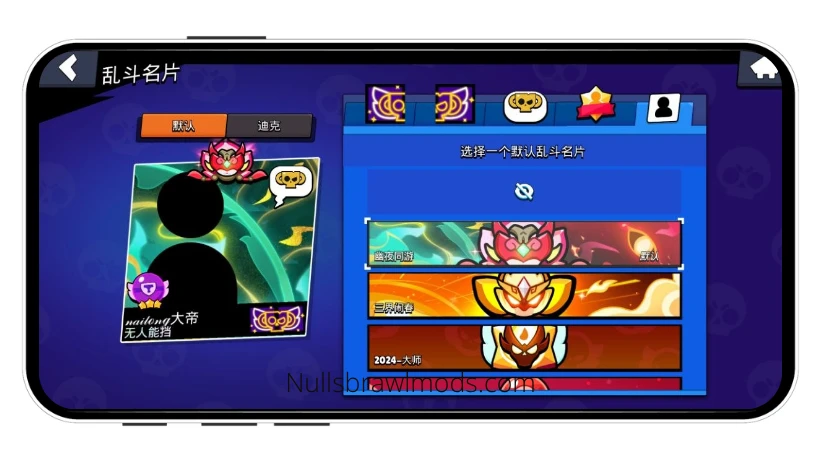

Nulls Brawl Assets are the patches that are used to modify the assets such as brawler models, skins, visual effects, sound effects, music, text style, backgrounds, themes, etc. in the Nulls Brawl. It allows the players to add new content created by different Mod developers in the Nulls Brawl. These patch files have the NullsBrawlAssets extension in their name and work with Nulls Brawl only. Some of such assets are Minecraft.NullsBrawlAssets that changes the gam’s graphics to Minecraft’s block & pixel graphics, China.NullsBrawlAssets that add Constellation skin pack that is exclusive to the China Server, GhoulStars.NullsBrawlAssets that changes brawlers’ default model to Tokyo Ghoul & Dota 2 characters. There are several other assets available here.
These assets patches modify the client files locally on the user’s device, and thus, the changes are only visible to the users. Other players can’t see these changes. This way, every player can personalize their Nulls Brawl according to their taste while playing on the same servers. One player can have Ghoul brawlers while another can have brawlers in Maid costumes, and still they can play together.
EXPLORE MORE MODSList of All Assets Available
Currently, there are hundreds of NullsBrawlAssets available to add in the Nulls Brawl. These assets are as follows:
- China Skin Assets – Adds China Server’s Exclusive Skins, Pins, Sprays & Profile Icons
- Ghoul Stars Assets – Adds Tokyo Ghoul & Dota 2 Characters, Lobby BG, Unravel BGM & More
- No Outline – Removes Outline
- Minecraft Assets – For Minecraft Environment with Pixelated Graphics
- HDR Brawl Assets – For HDR Graphics and More
- and so many more!
Guide to Install NullsBrawlAssets file in Nulls Brawl on Android
Installing the NullsBrawlAssets file is a complicated process if you are doing it for the first time, which depends on your device. To make it simple and easy to install the assets, we have written down the step-by-step installation procedure. During the first time installation, some users may face some common issues at certain steps, so we have also shared the solution in those steps, along with links to detailed explanations. The steps are as follows:
- First, make sure you have Nulls Brawl installed on your device. If you haven’t, then download & install Nulls Brawl first before proceeding to the next step.
- Second, download the “xyz.NullsBrawlAssets” file you want to install.
- Then, open the file manager and navigate to the folder where the Assets file is stored.
- Once you find the Assets file, tap on it.

- Now, it will show you a list of apps with which to open the downloaded NullsBrawlAssets. [Note: If no list is opened or device says – “Unsupported file”, then use another File Manager and not the built-in File Manager. Read this common issue for detailed info.]

- From that list, select the Nulls Brawl. [Note: If Nulls Brawl is not shown in the list, then another File Manager and not the built-in File Manager. Read this common issue for detailed info.]
- Then, the Nulls Brawl will open the assets file in its installer as shown in the following screenshot.

- Now, tick the check box that you agree to install the assets, and then tap on the Install button.
- After that, it will install the xyz.NullsBrawlAssets in the Nulls Brawl and will be completed in a few seconds.

- Now you can launch the game. [Note: If the assets patch didn’t work after installation, check whether the assets version is the same as Nulls Brawl version, and if not, then update the assets. Read this common issue for detailed info.]
Guide to Uninstall NullsBrawlAssets Patches
Uninstalling the Nulls Brawl Assets is not like uninstalling an app. To uninstall them, first, you need to open the Nulls Brawl’s Modification Manager and then remove them from the User Modifications section. Below are the steps to do that. Please follow them one by one to successfully uninstall any installed assets.
Step 1: Open Modification Manager of Nulls Brawl
- To uninstall xyz.NullsBrawlAssets, first, we need to open the Nulls Brawl’s Modification Manager.
- To do that, tap and hold the Nulls Brawl icon and open its App Info.

- Then tap on the “Storage” or “Storage Usage” option.
- Here, tap on the “Clear Data” or “Manage Space” option. (The option shown depends on the device, but both work the same way.)

- Now, Nulls Brawl’s Modification Manager will be opened. Here, we can manage all installed assets patches, like game resource patches, user-installed patches, etc., and enable, disable or uninstall them.

Step 2: Go to User Modifications and Uninstall the Desired Patch
- Under the User Modification section, you will see “Manager Modifications” option. Tap on it.
- Here, it will show all user-installed Assets patches.

- From the list, tap the Uninstall button under the Assets you want to remove.
- Done. The patch will be uninstalled as soon as you tap the uninstall button.
Common Issues Faced by Users while Installing Assets file
While trying to install the NullsBrawlAssets file and reading all other users’ comments on the forums & other sites, I found mainly three issues that are the most common. First – unsupported file type, second – no Nulls Brawl option to open the file with, and third – assets installed but it didn’t work. I also faced the first two issues during my first time, and when Nulls Brawl released its newer version, I faced the third one too when the assets didn’t work. But that’s not all. I had to face the fact that no one anywhere shared how to solve these issues. And when I find out the solution, I laughed at how simple the solution was.
We don’t want you to face the same problems. So, the solution to the first two issues is to use a File Manager other than the built-in one, and the solution to the third issue is to keep the assets version up-to-date with the Nulls Brawl version. Below, we have explained all these issues with their solutions in detail. Read them if you face them.
Unsupported File Type
Most Android devices’ default File Manager doesn’t recognize the Nulls Brawl as an app that can open NullsBrawlAssets file formats. So, whenever you try to open them, it simply shows “Unsupported File Format”. And some File Managers don’t know with which app to open these assets and fail to determine the Nulls Brawl as one, and then show “You don’t have any apps that can open this type of file. You can search for one in the Play Store.” We have used Samsung, MI, and Redmi, and none of them opened the NullsBrawlAssets file. We also tried ‘Files by Google’ but this one too doesn’t support it.

Solution: To solve it, you have to download another File Manager (by Imagination AI or Galaxy Studio Apps) app from the Google Play Store. One Plus’s built-in File Manager can open it, so One Plus users don’t need any other file manager.
Nulls Brawl not shown in Open With options
Files with the NullsBrawlAssets extension can only be opened & installed with Nulls Brawl. So, if you haven’t installed Nulls Brawl, please install it first.
Now, if the Nulls Brawl is already installed and you still didn’t get the Nulls Brawl option to open the assets file with, then the issue is with the file manager. Some in-built managers do try to open the NullsBrawlAssets file, and show some apps to open with, but the list doesn’t show Nulls Brawl (which we need). In this case, the file manager doesn’t determine the Nulls Brawl as an app that can open this type of file.

Solution: Since the issue is with the device’s built-in file manager, we need to use another File Manager (except Files by Google). Many File Managers on the Play Store can open the assets file with the Nulls Brawl. Download any file manager you like, and try again. If you face the same issue, then try with another file manager. We used File Manager by Imagination AI and Galaxy Studio Apps, and they both worked in opening the assets file with Nulls Brawl. You can use them too.
Assets Installed but Not Working
Many players successfully installed the assets patch, but complained that the assets didn’t work and the game is just like before. It’s because the assets version should be the same as the Nulls Brawl. If the NullsBrawlAssets is of an older Nulls Brawl version, then it will not work with the newer Nulls Brawl version.

Solution: Always install the same version of the Assets file as the Nulls Brawl. After each Nulls Brawl update, download and install the newer version of the Assets files, too.
Wrapping Up
To wrap up, Nulls Brawl Assets are the patch files to add additional modifications in the Nulls Brawl. For instance, Constellation skins or Tokyo Ghoul characters as default brawler models, no outlines, Minecraft graphics, HDR graphics, custom music, etc. can be added in the Nulls Brawl using their corresponding NullsBrawlAssets files. However, the main issue while installing NullsBrawlAssets was the Android devices’ in-built file manager, which is unable to open these assets files and fails to determine which app can install these files, thus, not opening them in the Nulls Brawl. It can be solved by using a third-party File Manager from the Play Store. That’s all that is to it. We hope you find this post helpful in getting the assets file and installing them without any issues.
Frequently Asked Questions
Nulls Brawl Assets is a type of file for Nulls Brawl game that is used to add or modify the game’s content like brawler models, music, theme, graphics, etc. They have NullsBrawlAssets extension in their name.
To install the assets, tap the NullsBrawlAssets file and open it with the Nulls Brawl, which will take you to the Nulls Brawl’s Assets Installer. Then you need to accept the conditions and tap on the install button. It will install the assets in the Nulls Brawl.
Yes. You can use more than two assets as long as their modifications don’t include the same in-game content. If you use two Asset files that modify the same in-game content, let’s say brawler models, then they will conflict, and the last installed assets will work, and in some cases, none will work.
Android devices’ built-in file manager fails to determine which app can handle the files with NullsBrawlAssets extension. That’s why the assets files are not opening. In this case, you need to use a third-party file manager. There are many good file managers on the Play Store. You can use any of them.
No. These assets files are made specifically for the Nulls Brawl and can not be used with other mods. However, these assets are created from the other mods’ assets files. So, you can play those mods.
If the installed assets are not working, then their version can be the issue. Check whether their version is the same as Nulls Brawl. If the version is same, then try to clear Nulls Brawl’s data and install the assets again.
Because the file manager failed to determine that Nulls Brawl can open these types of files. Install a third-party file manager from the Play Store. It will show the Nulls Brawl while opening the assets file.
I agree
How can we do our own assest? Or can you do it upon request?
You can contact the admins.. of Official Nulls Brawl Mods: https://t.me/nb_mods
How can I install for iOS ?
okay so first you are going to download the latest version of Null’s Brawl and install the game via Sideloadly with file sharing enabled (or unzip the IPA file and add the UISupportsDocumentBrowser (bool) key with a value of TRUE to Info.plist, then unzip back, sign and install, it will be the same). Then log into the game at least once. Download the .NullsBrawlAssets file, extract it as a ZIP archive (for example, with Filza) and put all the contents in the path /var/mobile/Containers/Data/Application/NB v##.###/Documents/updated/.
ts makes no sense
Im sorry, but the steps are harder..
You need to use AppSync or similar to modify installed app files
once You have access inside /var/containers/Bundle/Application/… you can install the asset file too on iphone or iOS.
Follow these steps:
Extract the .ipa on PC (it’s basically a .zip)
Insert the China Asset files into:
Payload/AppName.app/
Re-sign the rebuilt IPA using AltStore / Sideloadly
Reinstall the updated version on your iPhone
Hi could you maybe do a short video where u show the steps because it is super hard if you could can you reply with a link to the vid? If not thats okay but if you know any tuts out there for ios it would be rlly helpful
Hey try this method Please:
Use Sideloadly (PC/Mac)
1. Open Sideloadly on your computer.[1]
2. Drag and drop your Null’s Brawl IPA file into Sideloadly.[1]
3. Click on the Advanced Options button.[1]
4. Check the box labeled “Enable File Sharing” (sometimes called “App file sharing”).[1]
5. Click Start to install the app to your iPhone.
Once installed:
1. Open the Files app on your iPhone.
2. Go to Browse -> On My iPhone.
3. You will now see a folder named Null’s Brawl (or the app’s bundle ID).
4. You can now copy/paste your Asset data directly into this folder.
Video on how to use Sideloadly: https://www.youtube.com/watch?v=vqTsavQc3lQ&authuser=0
Video on how to enable developer mode: https://www.youtube.com/watch?v=9Zk87ZOpSUA
Hi, when I extract and try to paste nothing happens , can you tell me how to fix ?
Which software are you using?
im stuck on the files part, what do i do in the nb file??
Pls try Sideloadly
Some mods don’t work is that normal and they’re up to date
Doinc
How can i use it on IOS?
Yes
you aint helping btw 🥀✌️😭
Try Chat GPT (:
Is it also for iOS or only for android
Android and iOS both, but do you know how to install on ios.
А почему в .zip пакете мода,я не вижу Assest,а вижу файл content.json?
Какой файловый мененджер использовать
How to make the file of nulls brawl?
Nothing happens ingame on ios when i moved the assers to nb folder after using sideloady with filesharing enabled it would be nice if i can add you so you can help or maybe post a yt tutorial for ios
Try using zarchiver..downloads,assets find nuls brawl,done
They said ios
Bro pls. My manager was not showing null brawl as an app that can open assets. So I downloaded new one. And it worked. But when I’m opening it with new manager it showing null brawl – I’m opening. It showing “copying files” theb error. There is no something like “I agree” or “it may works incorrectly are u sure?” There is just “modification signature is invalid or expired” I’m using correct version I checked it 100 times. I re installed null brawl from ur site and from official site. I reinstalled assets also. Nothing works. Help please, a few month i was trying to install it. From ios-bro it impossible nothing works. Now I have android. I did thing I was can’t on ios and now – new errors, and something goes wrong!
How can i download a mod thats sign been invalid or expired
It says copy failed and failed to copy
please tutorial how to download it into nulls cuz I don’t know how
I have added the guide.. check